Today: offers & visits
An IDR 44m offer misses the target. Two prospects visit tomorrow. The owner sees what needs a decision and preparation.
Custom ERP / CRM · Showroom implementation example
Your capital is in your vehicles. Control should be in your hands.
Request custom ERP, CRM or operational software built around your business. Modules, workflows, reports and access roles are defined together. This showroom is one example of the approach.
01 / Owner Command Center
Offers, tied-up capital and outstanding payments appear together. The Owner interface is built; the decisions shown here are development scenarios.
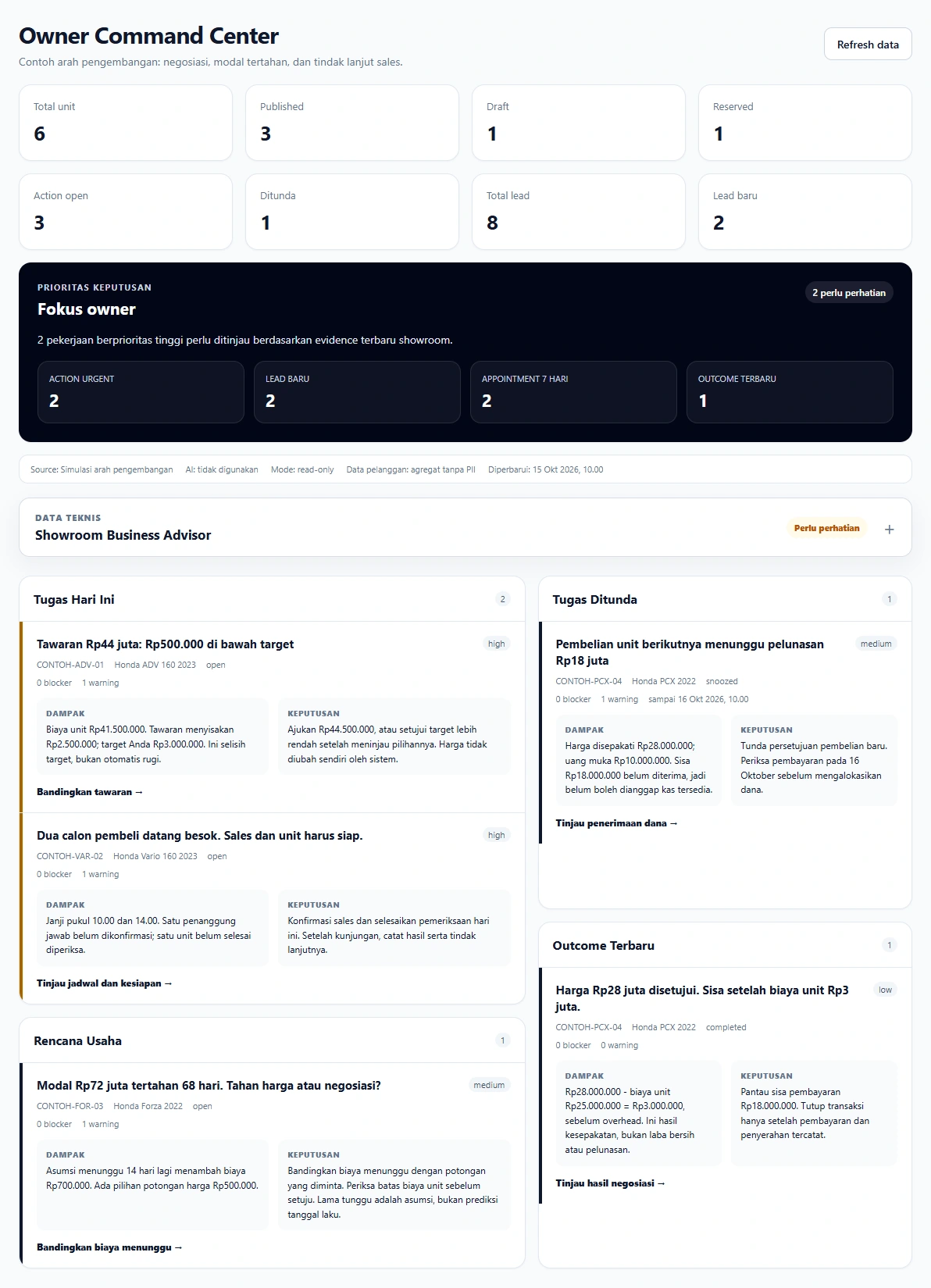
An IDR 44m offer misses the target. Two prospects visit tomorrow. The owner sees what needs a decision and preparation.
IDR 72m has been tied up for 68 days. Compare holding costs against a price reduction before deciding.
IDR 18m is still outstanding. Approval for the next vehicle purchase waits until receipt of the money is checked.
An IDR 28m agreement leaves IDR 3m after unit costs. It is not treated as net profit or full payment.
02 / Connected showroom work
Vehicle information belongs in a connected workflow. Staff prepare vehicles, customers explore their options and sales staff have the records to follow up.
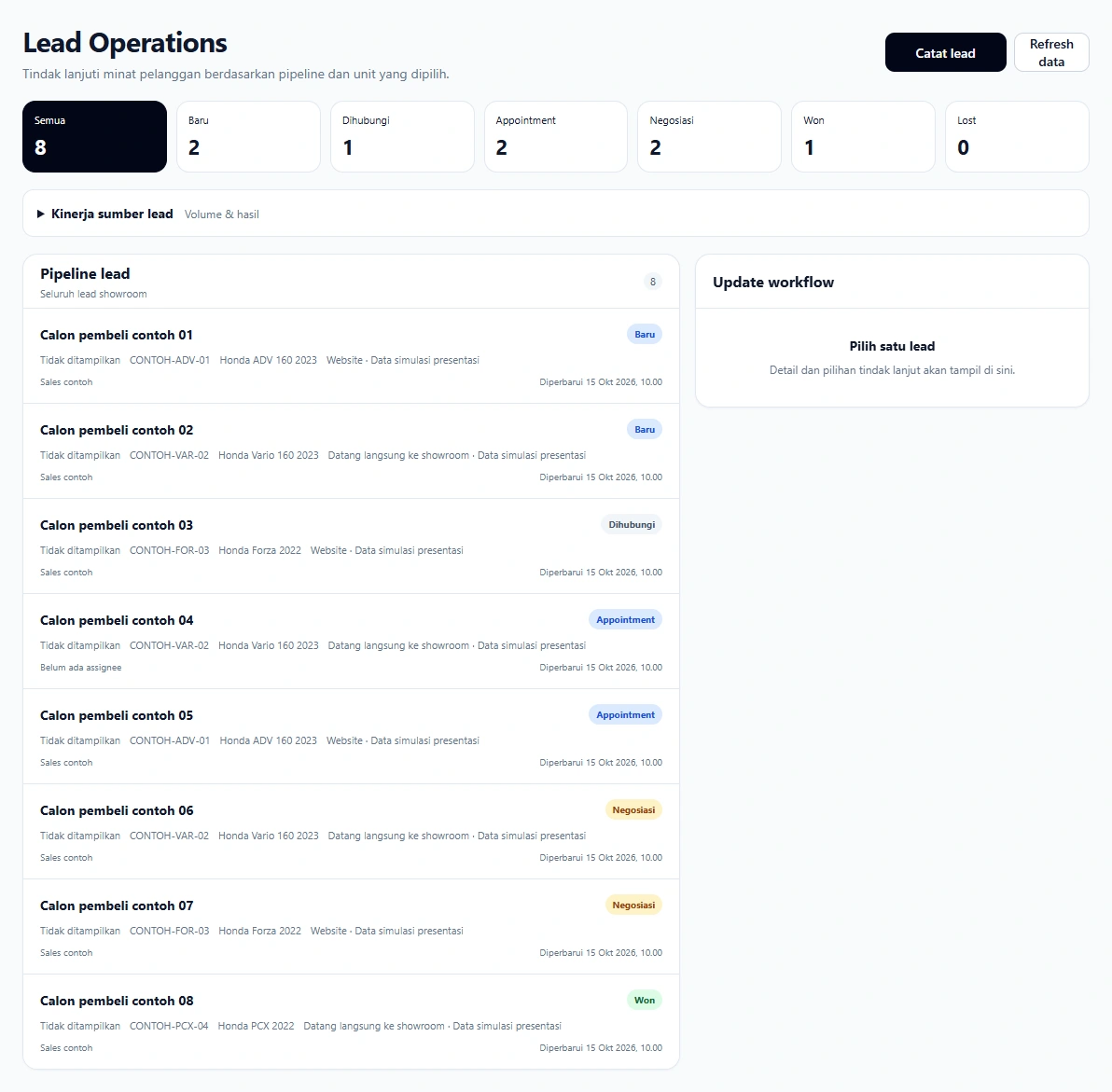
Lead Operations records prospects, vehicles of interest, status, assigned staff, schedules, sales activity and recorded outcomes.
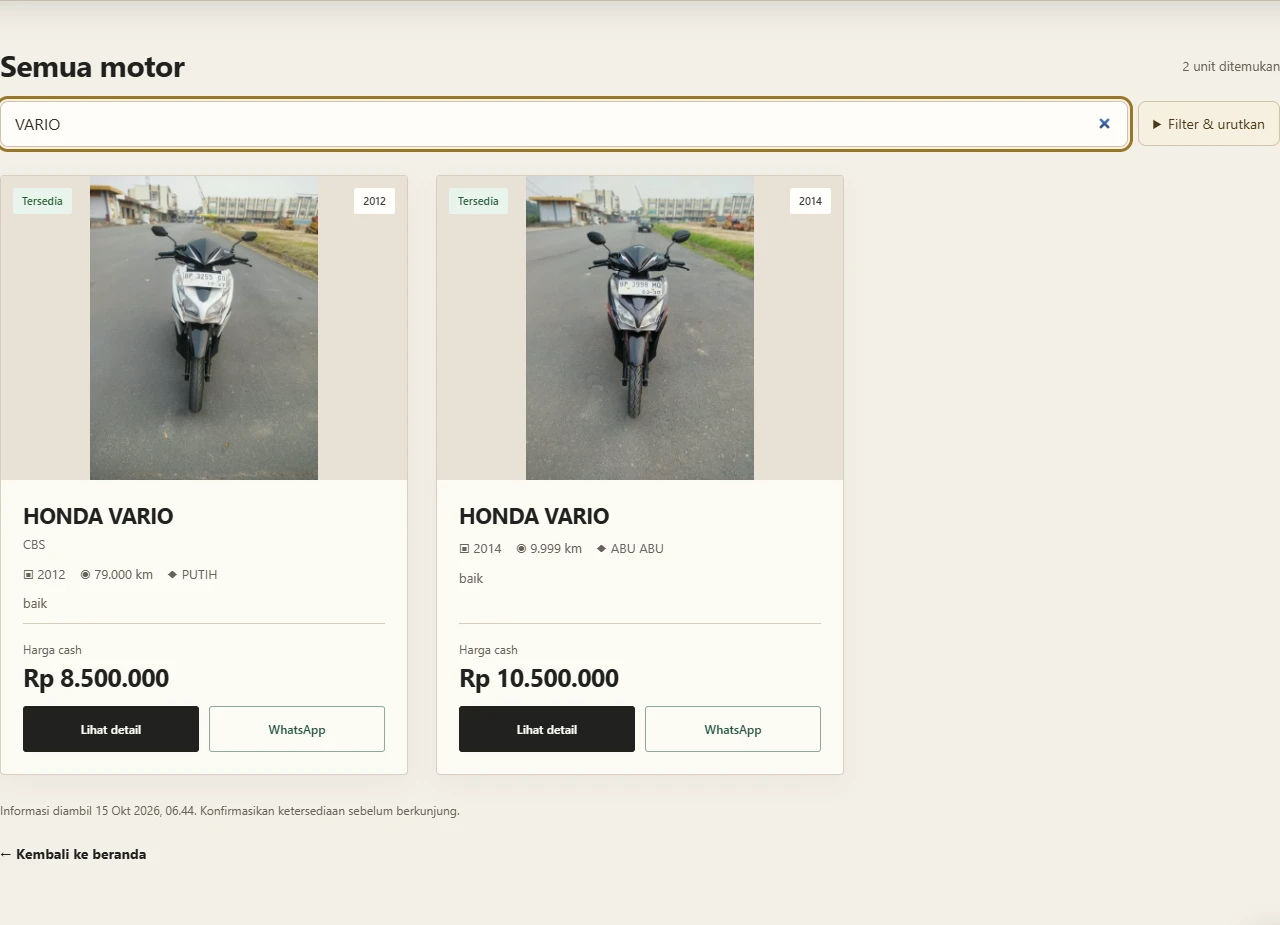
The catalogue, photos, pricing, status and detail access help customers understand their options before speaking with sales.
A unit-specific QR leads to vehicle information. Customers can review details and continue communicating with the showroom.

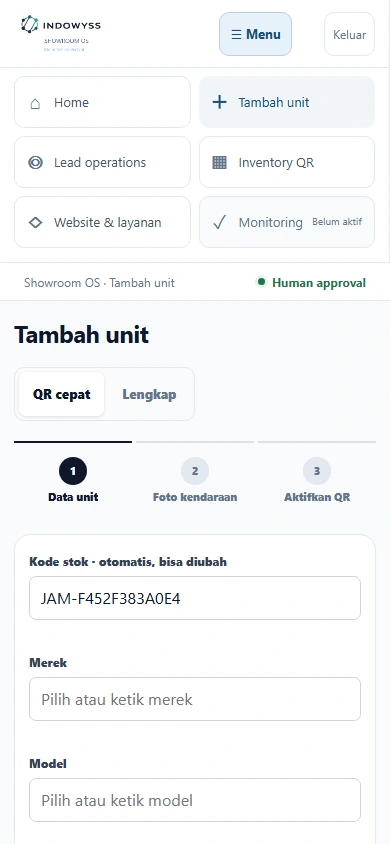
Staff add vehicle information and photos. Quick QR and full verification are separate; an initial listing is not treated as a completed inspection.
03 / Intended decision support
Three development concepts: negotiation limits, inventory holding costs and readiness for buyer visits.
Development concept. Examples use simulated figures to illustrate a development direction, not customer results or capabilities that are all active today.
Development concept
Difference from the target, not a loss on the vehicle
Acquisition: IDR 40m. Direct costs: IDR 1.5m. Target contribution: IDR 3m. Offer: IDR 44m.
IDR 40m + IDR 1.5m + IDR 3m = IDR 44.5m. The IDR 44m offer leaves IDR 2.5m after unit costs: IDR 500,000 below target, not automatically a loss.
The owner chooses: hold the target, counteroffer or approve a lower target. The system does not accept offers itself.
Complete costs, a target and an offer. The cost foundation is built; this offer comparison and report format are development concepts.
Development concept
Additional cost if the holding assumption occurs
Owner assumptions: hold the vehicle for 14 more days, with IDR 50,000 additional cost per day. Alternative: an IDR 500,000 reduction for an available offer.
14 × IDR 50,000 = IDR 700,000. The IDR 500,000 reduction is IDR 200,000 less than the assumed waiting cost. Unchanged fixed costs are not counted again.
Compare the offer with the unit cost floor and sales opportunity. Do not discount automatically. This waiting period is an assumption, not a predicted sale date.
Stock age, additional costs, an available offer and owner approval. This comparison is not an active Monitoring module.
Development concept
Example priority from recorded schedules
Two visits tomorrow. One lacks salesperson confirmation; one vehicle has not completed inspection.
Match schedules, assignments, last activity and vehicle readiness. No invented closing probability or revenue is needed.
Confirm the salesperson and complete checks before the visit. Afterwards, record the outcome and next step.
Schedules, assignments, activity and vehicle checks. Underlying records exist; cross-record alerts like this remain a development direction.
04 / Foundation & development
Customer information, staff intake, vehicle status, checks and publication.
Priorities, postponed work, recorded outcomes, pipelines and sales activity.
Calculations use recorded costs and confirmed completeness.
Monitoring periods, reminders and reviews appropriate to showroom sales cycles.
Domain adaptation and payment, lender, workshop or messaging connections based on access and needs.
The INDOWYSS Engine is more than a chat box receiving data. Sources are checked, figures calculated, data sufficiency assessed and priorities presented before the owner acts.
The next development connects owner actions to a monitoring period and recorded outcomes. For example, review a price change or sales follow-up method, then examine what changed. The showroom Monitoring module is not active yet; this is a development direction, not a completed-feature claim.
One INDOWYSS direction / industry-specific applications
F&B businesses and showrooms both need easy work, trustworthy records and evidence-based decisions. Their data, workflows and business calculations differ.
What carries across industries is the approach and system foundation. Current applications keep their data and operations separate. Cross-business supplier, promotion and referral networks are developed only where relevant and with appropriate permission.
See how the Manager works in F&B05 / Implementation in your business
There is no need to commission the whole system at once. Choose the first workflow together, trial it in daily work and expand based on results.
Suitable when vehicle information and prospects are scattered.
HOW TO EVALUATE
Information completeness, listing preparation time and prospects followed up.
Suitable when capital tied up and negotiation headroom are hard to assess.
HOW TO EVALUATE
Cost completeness, vehicles needing review and consistency of negotiation decisions.
Discuss workflows, users, devices, data sources and the main problem.
Define deliverables, boundaries and baseline records for comparison.
Use approved data, onboard staff and record friction.
Review usage and measured outcomes, not just an attractive interface.
Payments, lender, document, workshop, multi-branch and messaging integrations are discussed as later phases. Each connection requires its own permission, access and testing.
06 / Partnership
Tell us what you need from ERP, CRM or operational software: inventory, customers, team workflows, reports or an Owner Command Center. Modules, integrations, costs and support are agreed within scope before development begins.
The goal is not a commissioned system that ends at recording. Implementation experience helps strengthen INDOWYSS across industries while keeping each business's data and systems separate.
NEXT CONVERSATION
Wisnu Falah · +62 819-1024-9645 · falahwisnu711@gmail.com